

If you are looking for easy-to-use home design software that allows you to create real floor plans, sections, elevations, and construction drawings without a subscription, Plan7Architect Pro is the most complete and beginner-friendly solution in this comparison.
Most alternatives fall into one of these categories: general CAD software that requires technical drafting knowledge, three-dimensional modeling tools that are not designed for floor plans, heavily limited entry-level home designer subscriptions, or basic hobby software. These tools can be useful in specific scenarios, but they are not optimized for straightforward house planning from start to finish.

Compared Software and Pricing Overview
The following programs are compared in this article:
-
Plan7Architect Pro – one-time purchase, 109.99 USD
-
AutoCAD LT – subscription, approximately 540 USD per year
-
SketchUp Pro – subscription, approximately 399 USD per year
-
Generic Home Designer subscription software – entry-level versions, often around 99.99 USD per month
-
Sweet Home 3D – free, open-source
What “Easy to Use” Means in Home Design Software
Ease of use in home design software does not simply mean a modern interface or drag-and-drop furniture. From practical experience, truly easy-to-use house planning software should offer:
-
Object-based walls, doors, windows, roofs, floors, stairs, and foundations
-
Automatic handling of wall thicknesses and openings
-
Instant synchronization between two-dimensional plans and three-dimensional views
-
Reliable dimensioning and area calculations
-
Support for both metric units and imperial units, depending on the project location
-
A workflow that does not require drawing every element line by line
-
No mandatory plugins to unlock essential features
-
No subscription pressure that forces you to finish a project within a short time
These criteria form the basis for the comparison below.
Detailed Software Comparison
Plan7Architect Pro – Easy-to-Use Software Built for Real House Planning
Price and licensing
Plan7Architect Pro is available as a one-time purchase for 109.99 USD. There are no ongoing fees, no subscriptions, and no time limits.
Ease of use in practice
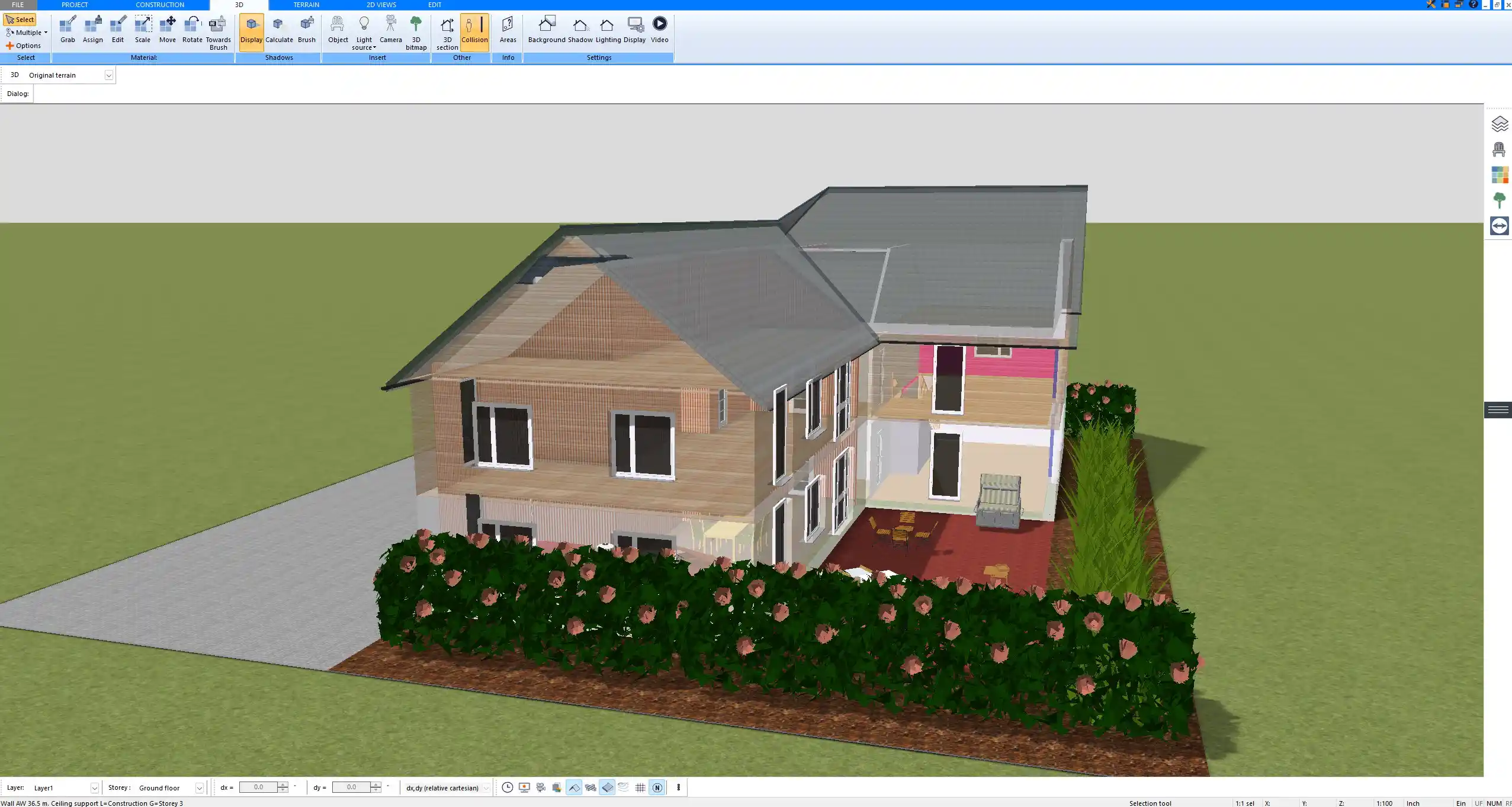
Plan7Architect was developed specifically for house planning and architectural design. Instead of drawing abstract lines, you work with real architectural objects such as walls, doors, windows, roofs, floors, stairs, and foundations. These elements behave like real building components and automatically interact with each other.
When you place a window, the wall opening is created automatically. When you adjust a wall, connected elements update accordingly. Dimensions, room sizes, and areas are calculated automatically.
Two-dimensional and three-dimensional workflow
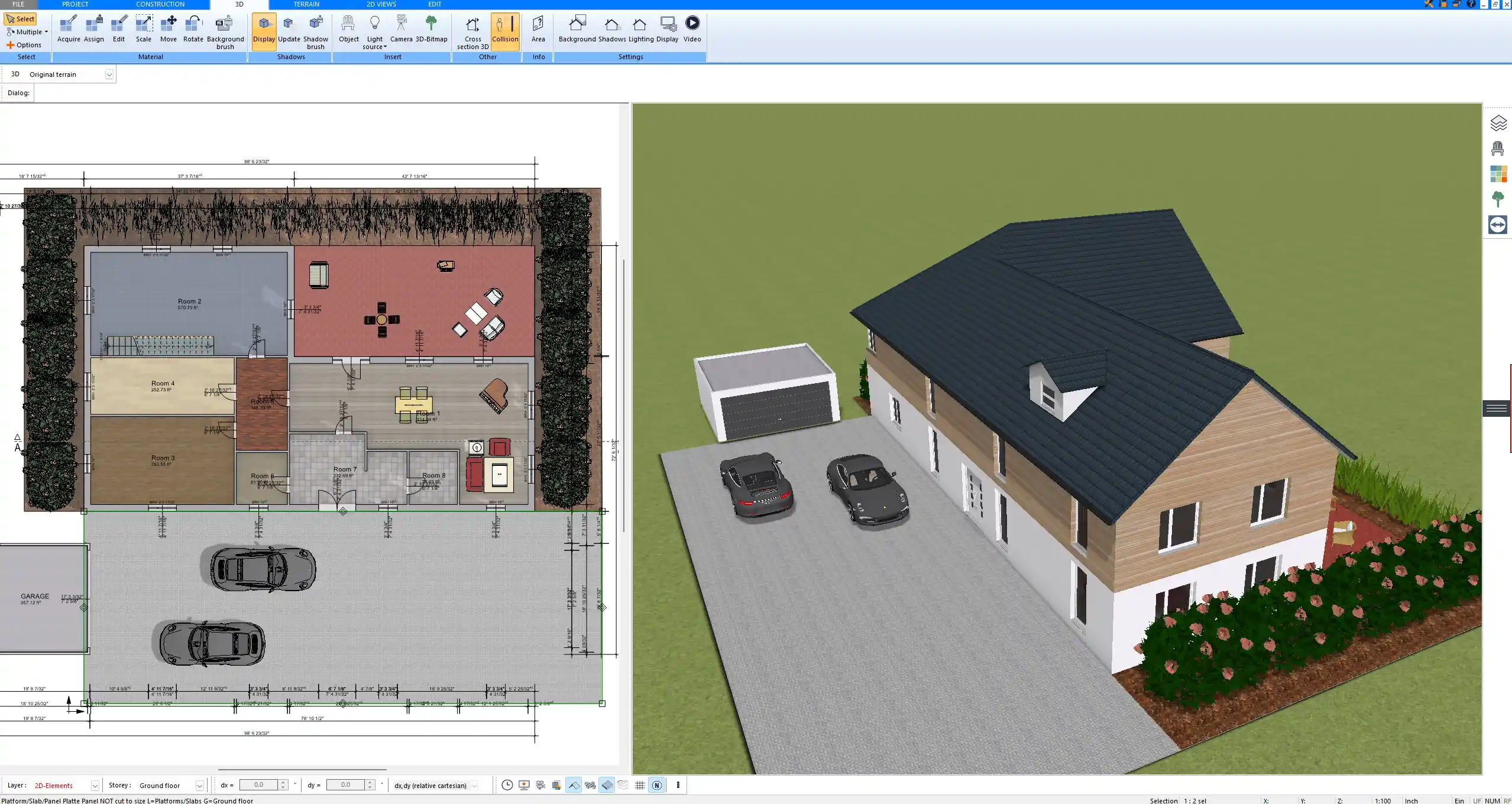
Any change made in the floor plan is reflected instantly in the three-dimensional view, and vice versa. Sections and elevations are generated directly from the model. This eliminates the need to redraw the same information multiple times.
Flexibility beyond presets
Although Plan7Architect is optimized for architectural workflows, it does not lock you into fixed presets. From experience, every architectural element can be fully customized, recreated from scratch, saved to the catalog, and reused in future projects. This applies to wall constructions, wall layers, windows, doors, roofs, beams, and structural elements.
International usability
The software supports both metric and imperial units. You can switch between measurement systems depending on whether you are planning a project in Europe, the United States, or another region.
Typical use cases
Plan7Architect is well suited for homeowners, private builders, remodelers, contractors, and professionals who need accurate floor plans and construction drawings without learning complex CAD systems.
AutoCAD LT – Powerful Drafting Tool, Not Designed for Easy Home Planning
Price and licensing
AutoCAD LT is available only as a subscription, costing approximately 540 USD per year.
How it works in practice
AutoCAD LT is a general-purpose CAD drafting program. It is widely used in many industries, including architecture and engineering. However, it does not understand architectural logic by default.
Walls, doors, windows, roofs, and foundations must be drawn manually using lines, blocks, and layers. Openings do not adjust automatically, and dimensions must be configured carefully.
Learning curve
From experience, AutoCAD LT requires significant CAD knowledge. For private users or beginners, even simple house plans can take considerable time to create accurately.
Suitability for house design
AutoCAD LT excels at precise technical drawings but is not optimized for easy house planning workflows. Creating complete floor plans, sections, and elevations is possible, but entirely manual.
SketchUp Pro – Intuitive Three-Dimensional Modeling, Limited for Floor Plans
Price and licensing
SketchUp Pro is offered as a subscription at approximately 399 USD per year.
Strengths and limitations
SketchUp is well known for intuitive three-dimensional modeling. It is flexible and excellent for visual concepts and object modeling. However, SketchUp is not architecture-aware. It does not recognize walls, doors, or windows as real building elements.
Floor plans are typically drawn in a two-dimensional view using simple lines and then modeled manually in three dimensions. Openings, wall thicknesses, and structural logic must be handled manually.
Dependence on plugins
Dimensions, sections, construction drawings, and reports usually require additional plugins. Managing multiple extensions increases complexity and reduces ease of use.
Suitability for house planning
SketchUp Pro is useful for visualization but becomes cumbersome when creating precise, permit-ready house plans.
Generic Home Designer Subscription Software – Entry-Level and Heavily Limited
Price and licensing
Many entry-level home design tools are offered as subscriptions, often around 99.99 USD per month.
What these tools offer
These programs are usually simplified versions of professional architecture software. They are designed to deliver quick visual results with guided workflows.
Practical limitations
In practice, these tools often lack advanced layer control, detailed structural tools, flexible customization, and proper section or elevation workflows. Projects must be completed quickly to avoid ongoing subscription costs.
Suitability for real projects
Such tools can be suitable for simple layouts or interior concepts but quickly reach their limits when used for full house planning.
Sweet Home 3D – Free Software for Basic Layouts
Price and licensing
Sweet Home 3D is free and open-source.
Capabilities
It allows basic room layouts and furniture placement. Visualizations are simple, and technical planning tools are limited.
Limitations
From experience, Sweet Home 3D is not suitable for detailed floor plans, construction drawings, or serious architectural projects.
Feature Comparison Overview
Original price was: $259.99.$169.99Current price is: $169.99.
Which Software Is Best for Your Use Case
If you want to design real houses with accurate floor plans and construction drawings while keeping the workflow simple, Plan7Architect Pro offers the most balanced solution in this comparison.
If you require a pure drafting tool for technical drawings and already have CAD experience, AutoCAD LT may be suitable.
If your focus is primarily three-dimensional visualization rather than detailed plans, SketchUp Pro can be useful.
If you only need very basic layouts or interior concepts, entry-level Home Designer tools or Sweet Home 3D may be sufficient.
Watch how a complete house is planned from start to finish – in under 25 minutes


The 3 Plan7Architects

Suitable for small hobby projects
No garden planning and only limited floor plan creation with few wall types
★★★★★

For medium-sized projects
Unrestricted floor plan creation & garden planning
No export options for your architect and no plans for building permit applications
★★★★★

For projects of any size
Import & export for working with an architect
Create plans for real building permit applications
Much larger range of features than the other two versions
★★★★★